
Common Mistakes Beginners Make While Using AI Image Generators
Learn the most common mistakes beginners make while using AI image generators and how to fix them for better image results.

Simple Introduction
Many beginners try AI image tools.
They get excited.
Then they get bad results.
They think the tool is bad.
Most times, it’s not the tool.
It’s small mistakes.


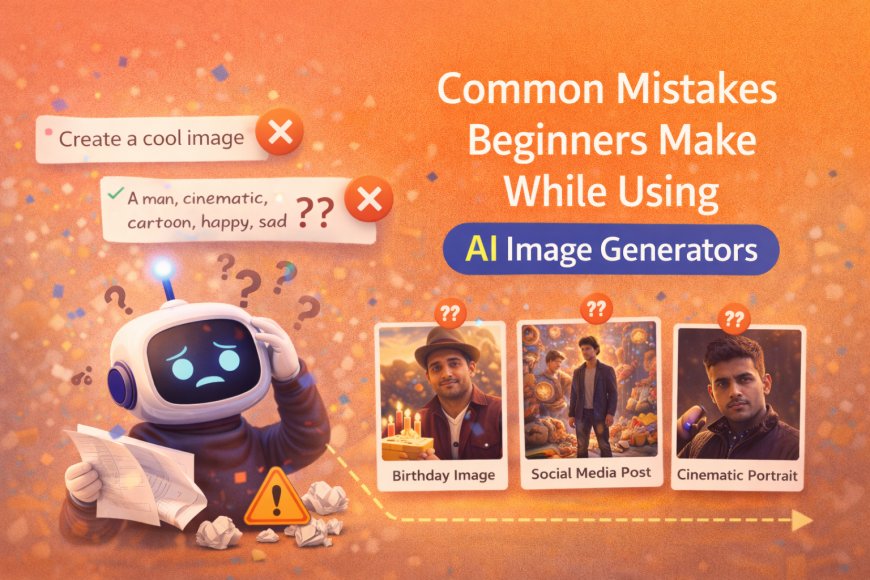
Mistake 1: Writing Very Short Prompts
Many beginners write prompts like:
“Create a cool image”
This is too vague.
AI does not know what “cool” means.
You must explain:
-
Who is in the image
-
What they look like
-
How the image should feel
Short prompts = random images.
Mistake 2: Adding Too Many Ideas at Once
Beginners often write everything in one prompt.
Example:
“A man, cinematic, realistic, cartoon, dark, happy, sad, studio, outdoor”
This confuses the AI.
Confusion gives messy results.
One idea at a time works best.
Mistake 3: Using Fancy Words Without Meaning
Words like:
-
ultra
-
hyper
-
insane
-
extreme
These don’t explain visuals.
They only sound good.
AI understands visual description, not hype.
Mistake 4: Expecting Perfect Results on First Try
AI image generation is not magic.
First result is rarely perfect.
Beginners often:
-
Generate once
-
Get disappointed
-
Quit
Good images come after small changes.
Change lighting.
Change mood.
Try again.
Mistake 5: Copying Prompts Without Understanding
Many beginners copy long prompts from the internet.
They don’t know what the words mean.
Result:
-
No control
-
No learning
-
Random outputs
If you don’t understand a word,
don’t use it.
Mistake 6: Ignoring Mood and Emotion
Beginners focus only on the subject.
They forget:
-
Mood
-
Emotion
-
Feeling
A face without emotion feels dead.
Mood makes images feel real.
Mistake 7: Using Busy or Random Backgrounds
Too much background detail ruins focus.
AI adds noise when the scene is unclear.
Simple backgrounds work better:
-
Clean walls
-
Soft lights
-
Plain environments
Less detail = better clarity.
Mistake 8: Trying to Use All Styles Together
Beginners mix everything:
-
cinematic
-
editorial
-
anime
-
realistic
This breaks the image style.
Pick one style.
Stick to it.
How Beginners Can Improve Fast
Do these simple things:
-
Write clear descriptions
-
Keep prompts focused
-
Describe mood and light
-
Change one thing at a time
-
Practice daily
Small improvements matter.
Final Thoughts
AI image tools are powerful.
But they follow instructions.
Bad input gives bad output.
Good input gives good images.
Fix the mistakes.
Results will improve fast.
What's Your Reaction?
 Like
0
Like
0
 Dislike
0
Dislike
0
 Love
0
Love
0
 Funny
0
Funny
0
 Angry
0
Angry
0
 Sad
0
Sad
0
 Wow
0
Wow
0