
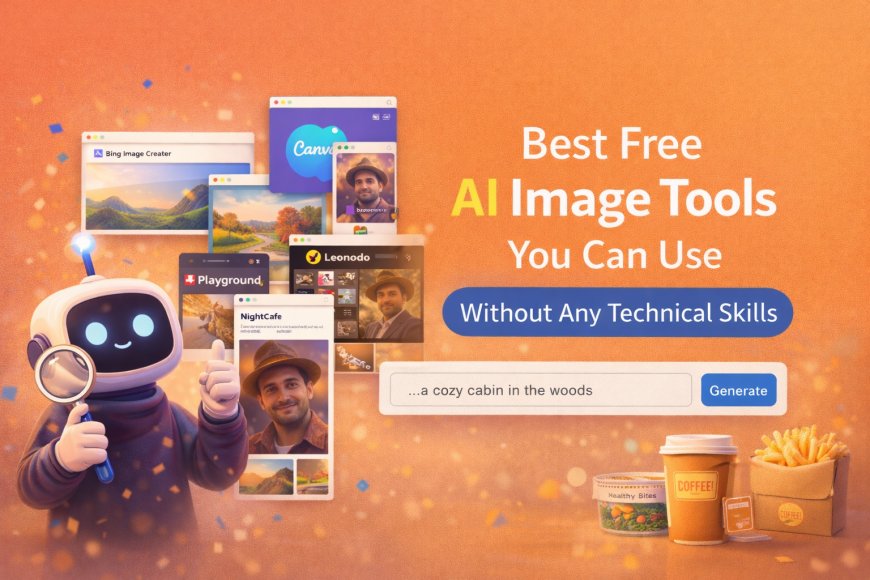
Best Free AI Image Tools You Can Use Without Any Technical Skills
Discover the best free AI image tools that anyone can use without technical skills. Simple tools for beginners to create images easily.

Simple Introduction
Many people want to create images with AI.
But they fear tools are complex.
Good news.
Some AI image tools are very simple.
No coding.
No technical skills.


What Makes an AI Image Tool “Easy”?
An easy AI image tool means:
-
You type simple words
-
You click generate
-
The image appears
No settings.
No confusing buttons.
No learning curve.
If you can type English,
you can use these tools.
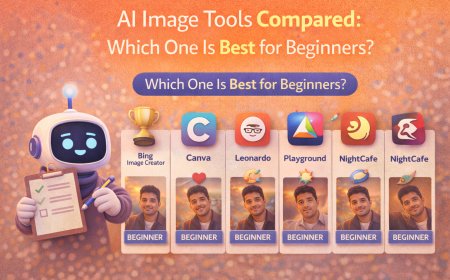
Best Free AI Image Tools for Beginners
1. Bing Image Creator
This tool is very beginner-friendly.
You just write what you want.
It creates images in seconds.
Why people like it:
-
Free to use
-
Simple text box
-
Good image quality
-
No setup needed
Best for:
Profile images, social posts, ideas.
2. Canva AI Image Generator
Canva is already popular.
Its AI image feature is very easy.
Why people use it:
-
Clean interface
-
Works inside Canva
-
Easy to add text
-
Perfect for social media
Best for:
Instagram posts, banners, stories.
3. Leonardo AI (Free Plan)
Leonardo AI looks advanced.
But basic use is simple.
Why beginners try it:
-
Free daily credits
-
Good portrait results
-
Clean dashboard
Best for:
AI portraits, creative images.
4. Playground AI
This tool is simple and clean.
No technical words.
Why people like it:
-
Free images
-
Easy prompt box
-
Quick results
Best for:
Art styles, creative visuals.
5. NightCafe (Free Mode)
NightCafe is beginner-friendly.
It feels like a creative app.
Why it works:
-
Simple prompts
-
Many styles
-
Free daily usage
Best for:
Artistic and fun images.
What Can Normal People Create Using These Tools?
People use these tools to make:
-
Birthday images
-
Profile pictures
-
Social media posts
-
Blog images
-
Creative art
No camera needed.
No editing skills needed.
Common Mistakes Beginners Should Avoid
Writing very long prompts.
Using fancy words without meaning.
Expecting perfect results on first try.
Using too many styles together.
Simple prompts work best.
How to Get Better Results (Simple Tips)
-
Describe one clear idea
-
Focus on mood and style
-
Keep words short
-
Try 2–3 variations
Practice improves results fast.
Final Thoughts
You don’t need technical skills.
You don’t need paid tools.
Free AI image tools are enough.
Start simple.
Learn slowly.
Create better images every day.
Also read : How Normal People Are Using AI Images for Work and Social Media
What's Your Reaction?
 Like
0
Like
0
 Dislike
0
Dislike
0
 Love
0
Love
0
 Funny
0
Funny
0
 Angry
0
Angry
0
 Sad
0
Sad
0
 Wow
0
Wow
0